
 23
DAYS
Emma turns 9
23
DAYS
Emma turns 9
Age & Birthday
Remember birthdays and see exactly how old someone is.
Learn more →Free for Mac
Countdowns, birthdays, focus timers, world clocks, and more — with a cute Chiko always close by.
 18:42
🇯🇵
9:42
TODAY
18:42
🇯🇵
9:42
TODAY
 97
18:42
🍅 FOCUS · #2
TODAY
Emma is 9 today 🎉
97
DAYS
Christmas
97
18:42
🍅 FOCUS · #2
TODAY
Emma is 9 today 🎉
97
DAYS
Christmas
Tiny things, right in your notch
Notchiko started with countdowns. Now your notch can do a little more.
23
DAYS
Emma turns 9
Remember birthdays and see exactly how old someone is.
Learn more →
24:37
🍅 FOCUS · #1
Focus for 25 minutes, take a break, and repeat.
Learn more →Keep the times that matter to you just a glance away.
Learn more → 12:37.42
⏱ STOPWATCH
12:37.42
⏱ STOPWATCH
Count up from zero, with laps, right in your notch.
Learn more → 44:12
🎯 FOCUS
44:12
🎯 FOCUS
Set a time. Focus until it reaches zero. No breaks, no fuss.
Learn more →
97
DAYS
Christmas
Christmas, vacations, concerts, weddings, exams, and anything you're looking forward to.
Explore countdowns →No dashboards. No clutter. Just glance up.
How it works
Choose a countdown, birthday, timer, or world clock.


Pick a Chiko and customize it to your liking.
Your little companion stays right in your Mac's notch.
All at once
Countdowns, birthdays, timers, and clocks — right where you can see them.
23
DAYS
Emma turns 9
18:42
🍅 FOCUS · #2
97
DAYS
Christmas
Hover over the notch and everything opens into cards, soonest first.
They feel it too
Chikos stay cozy when the big day is far off, then hop, bounce, and celebrate as it gets closer.
Months away
A few weeks

This week

The big day
Free Chikos keep their cozy idle and hover moves. Lifetime unlocks every reaction and seasonal outfit.
Notch or anywhere
Keep your Chikos by the notch, or float them on the side, bottom, or a corner. Macs without a notch get a tidy little pill. Open it on hover or with a click, or keep it hidden until you hover.
Private
Your countdowns, birthdays, and cities stay on your Mac. No tracking, no sign-up, no cloud.
Native
Built in Swift for macOS. Launches at login and stays out of your way.
Meet the Chikos
Your Chikos aren't just for countdowns. They can keep you company while you focus, celebrate a birthday, or keep an eye on the time around the world.
43 are free. The other 68, and every future Chiko, come with Lifetime.
Santa
Christmas
Reindeer
Christmas
Cupcake
Birthdays
 Ghost
Halloween
Ghost
Halloween
 Heart
Valentine's & anniversaries
Popper
New Year
Heart
Valentine's & anniversaries
Popper
New Year
 Bunny
Easter & spring
Suitcase
Trips & vacations
Bunny
Easter & spring
Suitcase
Trips & vacations
 Owl
Graduations
Owl
Graduations
 Turkey
Thanksgiving
Turkey
Thanksgiving
 Duckling
Baby due dates
Headphones
Concerts & game releases
Duckling
Baby due dates
Headphones
Concerts & game releases
 Scholar
Exams & the first day of school
Scholar
Exams & the first day of school
 Bride
Weddings
Bride
Weddings
 Fireworks
Holidays & festivals
Fireworks
Holidays & festivals
 Bear
Cozy days & hugs
Bear
Cozy days & hugs
 Orange Tabby
Cat lovers
Orange Tabby
Cat lovers
 Golden Retriever
Dog lovers
Golden Retriever
Dog lovers
 Gift
Gifts & surprises
Gift
Gifts & surprises
 Ring
Engagements
Ring
Engagements
 Pumpkin
Halloween & fall
Pumpkin
Halloween & fall
 Balloon
Parties & celebrations
Balloon
Parties & celebrations
 Clover
St. Patrick's Day & luck
Clover
St. Patrick's Day & luck
 Airplane
Flights & travel
Books
School & reading
Airplane
Flights & travel
Books
School & reading
 Controller
Game releases
Controller
Game releases
 Music Note
Concerts & new music
Corgi
Dog lovers
Music Note
Concerts & new music
Corgi
Dog lovers
 Shiba Inu
Dog lovers
Shiba Inu
Dog lovers
 Black Cat
Halloween & cat lovers
Black Cat
Halloween & cat lovers
 Calico
Cat lovers
Calico
Cat lovers
 Parrot
Bird lovers
Parrot
Bird lovers
 Penguin
Winter
Penguin
Winter
 Chick
Easter & spring
Chick
Easter & spring
 Guitar
Gigs & music lessons
Guitar
Gigs & music lessons
 Microphone
Concerts & karaoke nights
Microphone
Concerts & karaoke nights
 Camera
Trips & photo days
Camera
Trips & photo days
 Soccer Ball
Match days
Soccer Ball
Match days
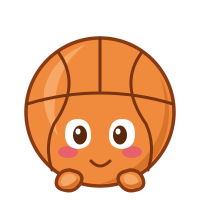 Basketball
Game nights
Basketball
Game nights
 Paint Palette
Art classes & creative projects
Paint Palette
Art classes & creative projects
 Movie Clapper
Movie premieres
Coffee Cup
Coffee dates & Monday mornings
Movie Clapper
Movie premieres
Coffee Cup
Coffee dates & Monday mornings
 Pizza
Pizza nights & parties
Pizza
Pizza nights & parties
 Lifetime
Elf
Christmas
Lifetime
Elf
Christmas
 Lifetime
Snowman
Winter
Lifetime
Snowman
Winter
 Lifetime
Cake
Birthdays & anniversaries
Lifetime
Cake
Birthdays & anniversaries
 Lifetime
Tourist
Sightseeing trips
Lifetime
Tourist
Sightseeing trips
 Lifetime
Explorer
Adventures & hikes
Lifetime
Explorer
Adventures & hikes
 Lifetime
Cupid
Valentine's Day
Lifetime
Cupid
Valentine's Day
 Lifetime
Rose
Dates & anniversaries
Lifetime
Rose
Dates & anniversaries
 Lifetime
Trophy
Big games & milestones
Lifetime
Trophy
Big games & milestones
 Lifetime
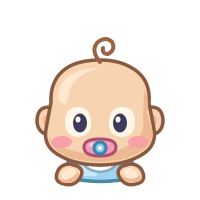
Baby
First birthdays
Lifetime
Baby
First birthdays
 Lifetime
Stork
Baby arrivals
Lifetime
Stork
Baby arrivals
 Lifetime
Groom
Weddings
Lifetime
Groom
Weddings
 Lifetime
Christmas Tree
Christmas
Lifetime
Christmas Tree
Christmas
 Lifetime
Fox
Autumn & adventures
Lifetime
Fox
Autumn & adventures
 Lifetime
Koala
Animal lovers
Lifetime
Koala
Animal lovers
 Lifetime
Panda
Animal lovers
Lifetime
Panda
Animal lovers
 Lifetime
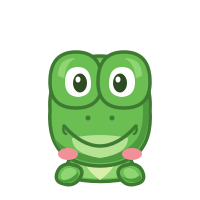
Frog
Rainy days & spring
Lifetime
Frog
Rainy days & spring
 Lifetime
Bee
Spring & gardens
Lifetime
Bee
Spring & gardens
 Lifetime
Hedgehog
Animal lovers
Lifetime
Hedgehog
Animal lovers
 Lifetime
Teddy Bear
Kids & cuddles
Lifetime
Teddy Bear
Kids & cuddles
 Lifetime
Rainbow
Happy days
Lifetime
Rainbow
Happy days
 Lifetime
Moon
Night skies & dreams
Lifetime
Moon
Night skies & dreams
 Lifetime
Sun
Summer
Lifetime
Sun
Summer
 Lifetime
Cloud
Daydreams
Lifetime
Cloud
Daydreams
 Lifetime
Star
Goals & wishes
Lifetime
Star
Goals & wishes
 Lifetime
Mushroom
Forest walks
Lifetime
Mushroom
Forest walks
 Lifetime
Strawberry
Summer treats
Lifetime
Strawberry
Summer treats
 Lifetime
Boba
Treat days
Lifetime
Boba
Treat days
 Lifetime
Donut
Treat days
Lifetime
Donut
Treat days
 Lifetime
Lollipop
Sweet treats
Lifetime
Lollipop
Sweet treats
 Lifetime
Plant
Gardening & growth
Lifetime
Plant
Gardening & growth
 Lifetime
Rocket
Launches
Lifetime
Rocket
Launches
 Lifetime
Crown
Achievements
Lifetime
Crown
Achievements
 Lifetime
Little House
Moving & new homes
Lifetime
Little House
Moving & new homes
 Lifetime
Poodle
Dog lovers
Lifetime
Poodle
Dog lovers
 Lifetime
Dachshund
Dog lovers
Lifetime
Dachshund
Dog lovers
 Lifetime
French Bulldog
Dog lovers
Lifetime
French Bulldog
Dog lovers
 Lifetime
Husky
Dog lovers
Lifetime
Husky
Dog lovers
 Lifetime
Beagle
Dog lovers
Lifetime
Beagle
Dog lovers
 Lifetime
Pomeranian
Dog lovers
Lifetime
Pomeranian
Dog lovers
 Lifetime
Dalmatian
Dog lovers
Lifetime
Dalmatian
Dog lovers
 Lifetime
Tuxedo Cat
Cat lovers
Lifetime
Tuxedo Cat
Cat lovers
 Lifetime
Persian
Cat lovers
Lifetime
Persian
Cat lovers
 Lifetime
Siamese
Cat lovers
Lifetime
Siamese
Cat lovers
 Lifetime
Scottish Fold
Cat lovers
Lifetime
Scottish Fold
Cat lovers
 Lifetime
Maine Coon
Cat lovers
Lifetime
Maine Coon
Cat lovers
 Lifetime
Gray Tabby
Cat lovers
Lifetime
Gray Tabby
Cat lovers
 Lifetime
White Cat
Cat lovers
Lifetime
White Cat
Cat lovers
 Lifetime
Flamingo
Summer & beaches
Lifetime
Flamingo
Summer & beaches
 Lifetime
Toucan
Tropical trips
Lifetime
Toucan
Tropical trips
 Lifetime
Peacock
Bird lovers
Lifetime
Peacock
Bird lovers
 Lifetime
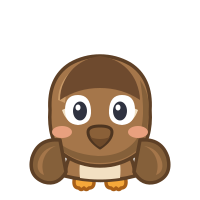
Sparrow
Bird lovers
Lifetime
Sparrow
Bird lovers
 Lifetime
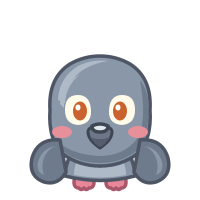
Pigeon
City days
Lifetime
Pigeon
City days
 Lifetime
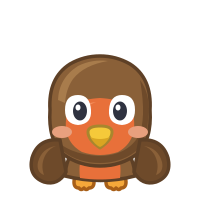
Robin
Spring
Lifetime
Robin
Spring
 Lifetime
Swan
Weddings & elegance
Lifetime
Swan
Weddings & elegance
 Lifetime
Bluebird
Happy news
Lifetime
Bluebird
Happy news
 Lifetime
Chicken
Farm days
Lifetime
Chicken
Farm days
 Lifetime
Piano
Recitals
Lifetime
Piano
Recitals
 Lifetime
Drum
Band practice & shows
Lifetime
Drum
Band practice & shows
 Lifetime
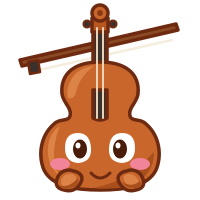
Violin
Recitals & orchestra concerts
Lifetime
Violin
Recitals & orchestra concerts
 Lifetime
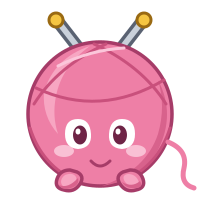
Yarn Ball
Crafts & knitting projects
Lifetime
Yarn Ball
Crafts & knitting projects
 Lifetime
Puzzle
Game nights & hobbies
Lifetime
Puzzle
Game nights & hobbies
 Lifetime
Race Car
Race days
Lifetime
Race Car
Race days
 Lifetime
Swim Goggles
Swim meets & pool days
Lifetime
Swim Goggles
Swim meets & pool days
 Lifetime
Roller Coaster
Theme park trips
Lifetime
Roller Coaster
Theme park trips
 Lifetime
Tent
Camping trips
Lifetime
Tent
Camping trips
 Lifetime
Beach Umbrella
Beach days
Lifetime
Beach Umbrella
Beach days
 Lifetime
Ice Cream
Summer treats
Lifetime
Ice Cream
Summer treats
 Lifetime
Ticket
Shows & events
Lifetime
Ticket
Shows & events
Pricing
No trials, no timers, no subscriptions.
$0 forever
$4.99 once · 1 Mac
Secure checkout with Stripe. Or unlock anytime inside the app.
FAQ
Notchiko is a tiny Mac companion that lives in your notch. It has countdowns (including vacations and events), birthday and age tracking, a Pomodoro timer, a focus timer, a stopwatch, a world clock, and a cute Chiko for each.
Countdowns to Christmas, vacations, concerts, weddings, exams, and anniversaries; birthdays, with how old someone is turning; focus sessions and timing things with a stopwatch; and the time in the cities you care about. Anything you'd like to keep close at hand.
No. Notchiko is a one-time purchase, and there is no subscription. The free version is free forever, and Notchiko Lifetime is a single $4.99 purchase for one Mac. No accounts, no renewals.
Yes. On Macs without a notch, Notchiko shows as a small floating pill. You can also put it on the left, right, bottom, or a corner of any screen.
Yes. Countdowns, birthdays, the timers, and the World Clock all work offline, and everything stays on your Mac. World Clock times come from your Mac's own time zone data, so daylight saving is handled too. Notchiko only goes online to check for updates (you can turn that off in Settings) and when you buy, restore, or move your license. It has no accounts, analytics, or tracking.
Your Lifetime license is active on one Mac at a time. Moving to a new Mac? Choose Deactivate This Mac in Settings, then restore your purchase on the new one.
Right here, or inside the app. Checkout is handled securely by Stripe. Buy on the website and your license key appears right away (and in your email): paste it into Notchiko's Restore Purchase. Buy in the app and it unlocks automatically.
Notchiko is a native Swift app, not a web app in disguise. Chikos rest quietly between their little wiggles, so it sips energy.
Email us within 14 days of buying Lifetime for a full refund. See Terms & Refunds for details.
Something else? Visit Support or email support@notchiko.app.
A countdown when you're waiting. A timer when you're focusing. A clock when you're working across time zones. A birthday when someone you love is getting older.
Download Notchiko